From label to record
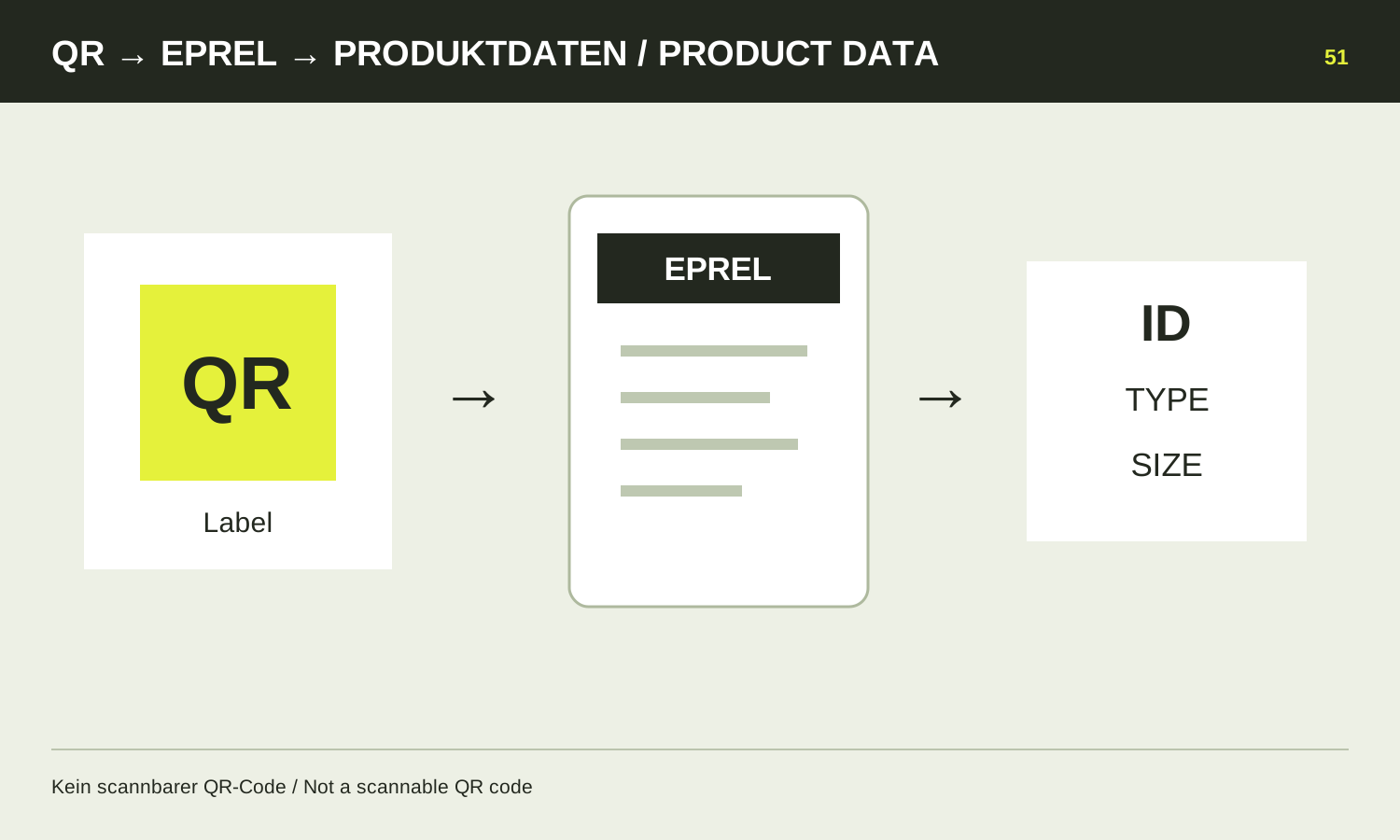
The QR code on the current EU tyre label links to the associated EPREL record, the European product database for energy labelling. It provides information about the registered version. This is particularly useful when a shop shortens descriptions or groups several similar variants under one model name.
Scan the code and check the displayed address before relying on the record. An unrelated promotional link beside a photograph is not automatically the same destination as the label code. If the image cannot be read, ask the seller for the registration number or a clear information sheet.
What should match?
Compare manufacturer or supplier information, product identification, dimension and service ratings with the offer. Consider relevant special versions in the product description as well. A similar name alone is insufficient. If the database shows another size, it has not confirmed the offered item.
Record the registration number or save the information sheet. A later enquiry can then refer to a specific record. That is clearer than a shop screenshot which does not show the selected variant.
Use the data for the right questions
EPREL helps identify label information and additional product details. It is not a personal tyre adviser or approval for your vehicle. Size, load requirements and the permitted wheel combination still need checking against vehicle documents.
Nor does the database replace independent comparison of every driving characteristic. Questions about dry handling or subjective comfort require other credible evidence. Use the record for what it actually answers rather than treating registration itself as a test victory.
When details do not agree
Do not build an order on a guess when information conflicts. Send the seller the item number and inconsistent details and request a clear identification. A wrongly linked variant may be responsible; what matters is establishing the right product before fitting.
A temporarily inaccessible entry can have several explanations. That alone establishes neither counterfeiting nor suitability. Request traceable product information and resolve open questions. Keep the confirmed details with the invoice so delivery and later replacement use the same reference. If a substitution is offered, repeat the identification check for the substitute instead of assuming the original record covers it.